
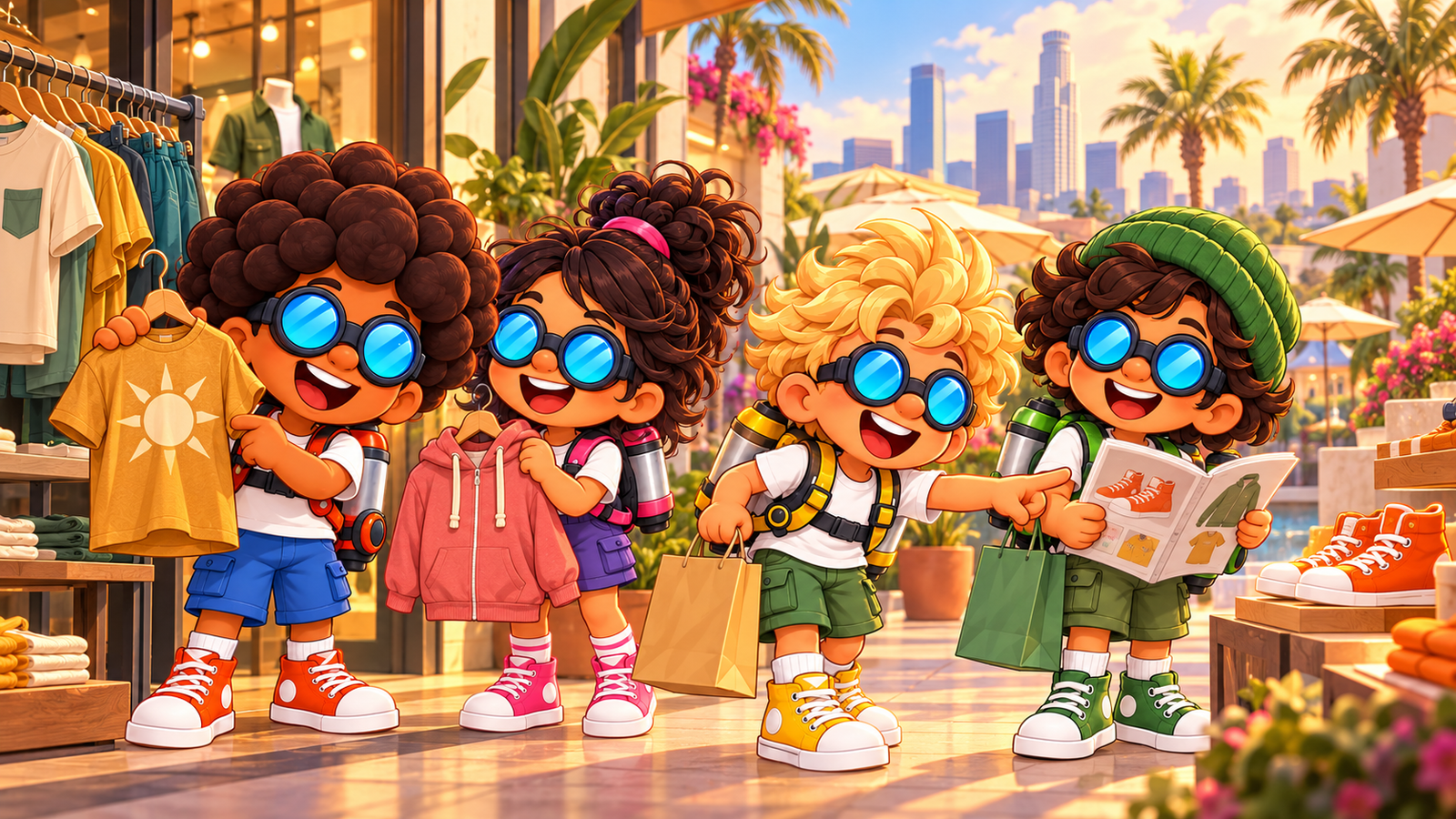
Sometimes the next adventure starts with a new hoodie. Or orange high tops. Or a jetpack that looks like it was made just for you. We are building Angel City Mall to give the pals somewhere to land, browse, and put their hard-earned coins toward a little personal style.
Shopping is another way to make Angel City feel like a place you live in. You can spend a flight exploring rooftops and taking on activities, then come back down to street level with something to save for. A favorite outfit gives your next trip across the skyline a different kind of reward.
Come for the clothes. Stay for the jetpacks.
The Golden Hour collection starts with ten stores and 100 products: four clothing and accessory stores, three jetpack cosmetic stores, and three home stores. Each shop has its own personality, so a visit to the mall can feel like browsing a neighborhood instead of scrolling through one enormous list.
Angel City Threads is our everyday-sunshine stop: warm tees, casual shorts, and easy layers. After Hours brings plum bombers, terracotta hoodies, and darker streetwear. Skyline Athletics leans into track jackets, joggers, and flight suits, while Finishing Touch handles the little details—sneakers, hats, goggles, and wrist cuffs.
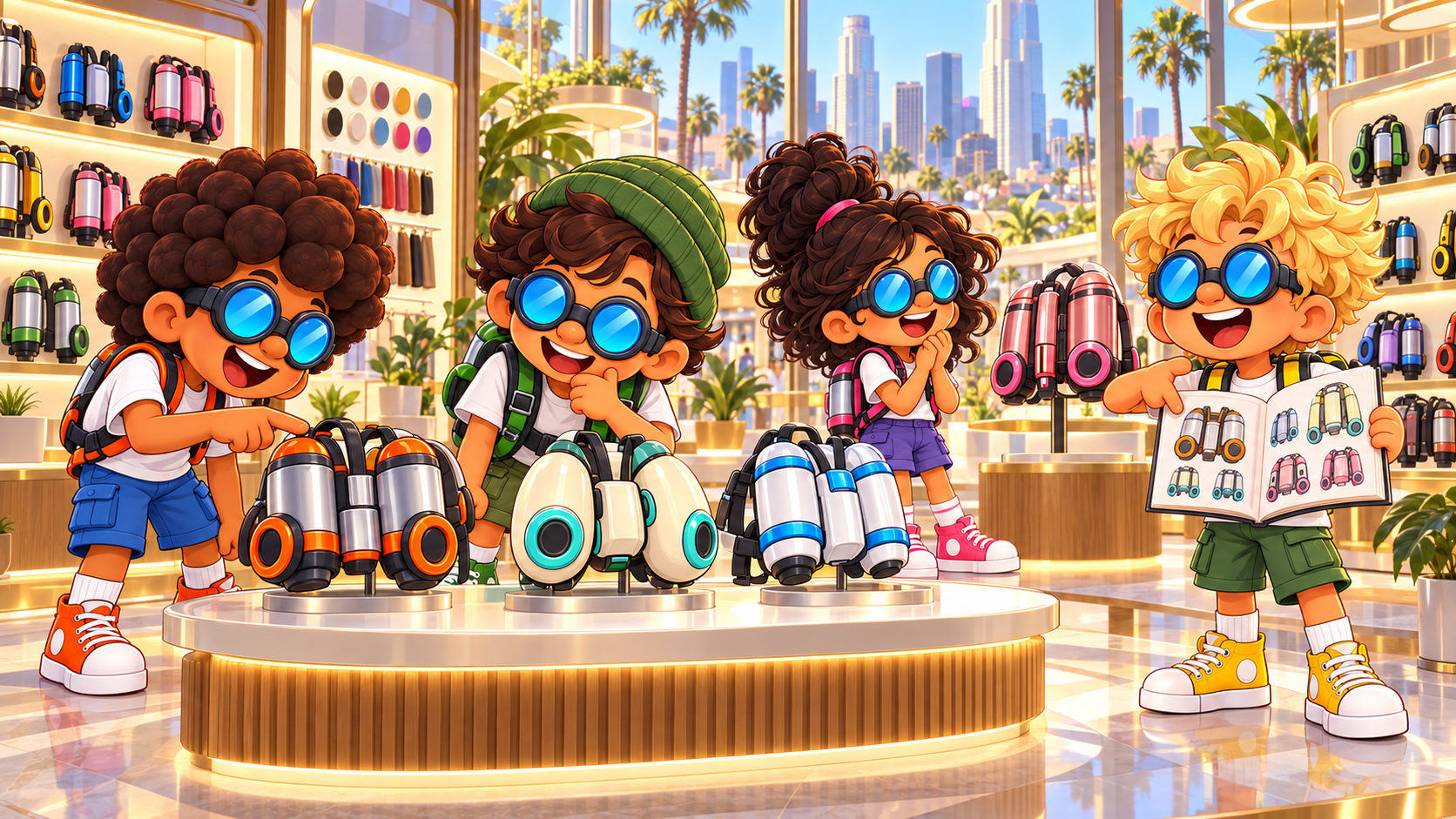
For jetpacks, Boost Lab offers different shell designs, Custom Burn explores colors and finishes, and Trailblazer focuses on nozzle kits, rings, and light-themed accessories. These catalog items are about appearance. The performance parts that change your flight capabilities belong to a separate upgrade system.
A catalog worth flipping through
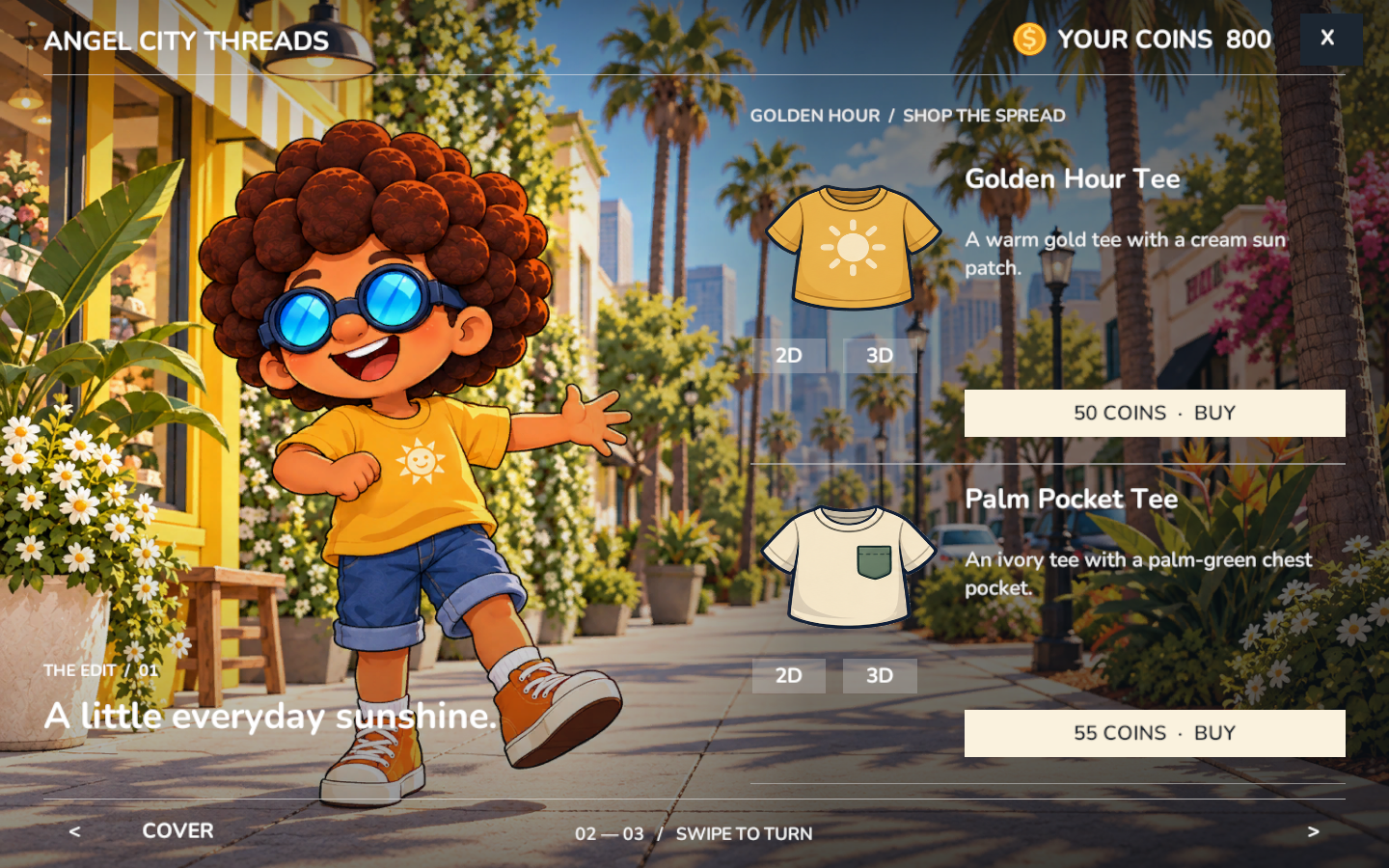
We wanted browsing to feel like opening a little fashion magazine. A store’s cover leads into illustrated spreads, with product names, descriptions, coin prices, and a clear way to buy. You can turn the pages and compare the artwork with a render of the actual 3D product using the 2D and 3D controls.
Here is a look inside the Golden Hour edition. The Golden Hour Tee is listed at 50 coins, and the Palm Pocket Tee at 55. A small purchase should still feel like a choice: the warm gold sun design, or something quieter with a green pocket?
At Boost Lab, the Metro Twin is a compact silver twin-tank shell with orange rings, listed at 240 coins. The Pacific Pod pairs an ivory shell with aqua engine rings at 270 coins. They give us two very different looks while staying inside the playful design language of the pals.
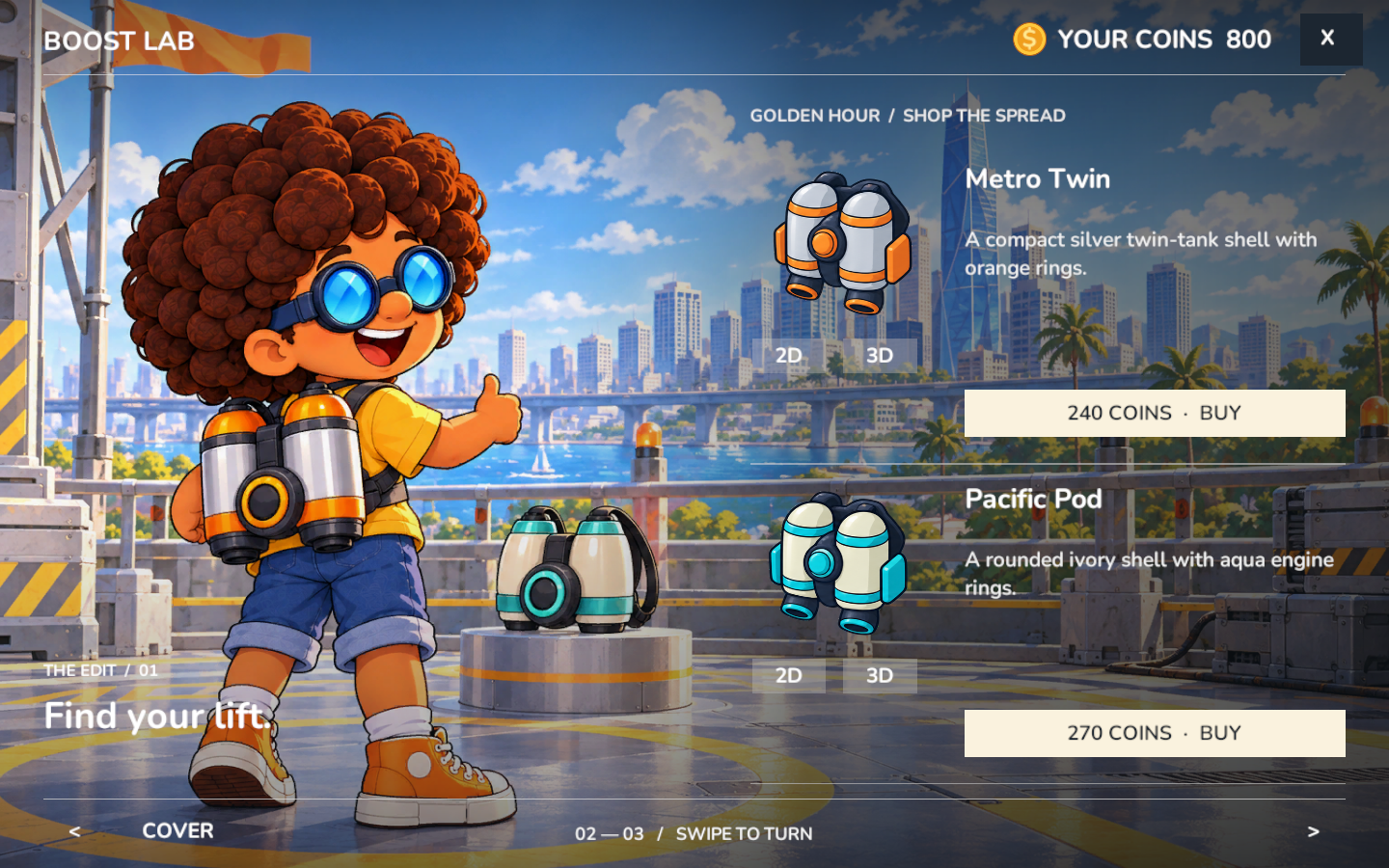
These captures show the actual Unity catalog interface from development review. They are a snapshot of this edition, including its prices and test wallet balance; the published catalog can evolve as we keep building.
Make it yours, then head back out
The shopping loop connects browsing to ownership and then to your wardrobe. Confirm a purchase with in-game coins, find the item in My Inventory, and choose what to wear. Selecting another item in the same slot replaces the previous one; removing it restores the starter piece. A full flight suit takes both the top and bottom slots.
That gives customization a place in the world. You are choosing a look from a store, remembering the item you saved up for, and taking it back into the city. The same catalog system also makes room for furniture and apartment decoration, although clothes and jetpack designs are the stars of this shopping trip.
Behind the counter: how we make it work
There is quite a bit happening behind a page turn. The store, illustrated product, 3D asset, price, purchase, and equipped item all need to agree about what you are looking at. We connect those pieces through stable product IDs rather than relying on a name or picture to identify an item.
Our catalog data describes each product’s store, category, name, description, coin price, colors, and model reference. Unity prefabs supply the actual 3D merchandise. Product thumbnails are rendered from those prefabs, while separate illustrations give the magazine its warmer, expressive style. The 2D and 3D buttons are two views of the same product.
The catalog UI is built in Unity with C#. Store proximity makes the browsing control available, and page-turn animation uses unscaled time so it can continue while the local shopping interface has paused play. Navigation and purchases are blocked during a turn, keeping the page you see and the item you can buy in sync.
Coins and ownership have to move together
For signed-in pilots, Supabase and Postgres handle the connected wallet. The database deducts coins and grants ownership together in one transaction. The client sends the product it wants and the price it expects, so a catalog update cannot silently turn an old price into a higher charge.
Each purchase request also has an identifier that can be reused if the reply gets lost. Retrying the same request should recover its result rather than charging twice. Already-owned items and insufficient funds are handled explicitly. Guest purchases use local storage, with the balance and ownership restored if saving fails.
This work belongs to the database-backed commerce system. Our multiplayer “sky” has a different job: connecting pilots in the shared city. Keeping live flight connections separate from durable ownership lets each system do the work it is designed for.
Getting a new outfit onto a moving pal
A drawing on a catalog page is only the beginning. Wearable meshes have to fit the pals’ proportions and follow their animated skeletons. Our inventory implementation binds each wearable to the character’s joints and hides the starter clothing it replaces using copies of the meshes for that character. Taking the item off restores those pieces.
Equipped product IDs are saved with the pilot’s profile, alongside the ownership record used to decide what can be worn. That keeps the outfit connected to the right pilot when the profile is loaded again. It also means a wardrobe choice can be checked against what the wallet says the pilot owns.
New collections without rebuilding the whole mall
The seasonal feed lets Unity load a published catalog from Supabase, validate its data and artwork, and switch collections as a complete update. Store posters and merchandise displays can follow the catalog while the mall’s architecture stays in place.
We keep permanent product definitions separate from active offers, so retiring an item from the shop does not erase the definition needed by someone who already owns it. There is an important boundary, though: a genuinely new 3D design still needs a compatible model shipped in the game. Publishing artwork alone does not create a wearable asset.
That combination—playful art, readable catalogs, real models, and careful ownership handling—is how we are turning shopping into another part of life in Angel City. We are still refining the experience, and we would love to know what you would save your coins for first: a new outfit, a different jetpack shell, or the perfect finishing touch?